As businesses grow, spreadsheets and disconnected applications often start causing more problems than they solve. A salesperson may not know whether a customer has paid, finance may spend days piecing reports together, and operations may be working with yesterday’s information. The result is slower decision-making and mistakes that are easier to miss.
Microsoft Dynamics 365 can help bring these processes together. However, buying licences is only the beginning. To make it useful, the platform has to reflect the organisation’s goals and processes. It also needs to connect with existing systems, use dependable data, pass proper testing, and be introduced in a way employees can understand.
That is the purpose of Microsoft Dynamics 365 implementation services. In this guide, we look at what these services cover, how the implementation process works, what shapes the cost and schedule, and how a business can keep the project on track.
What Is Microsoft Dynamics 365?
Microsoft Dynamics 365 is a family of business applications for customer relationship management (CRM) and enterprise resource planning (ERP). Businesses can choose the applications that match the processes they actually need, rather than adopting the same package as everyone else.
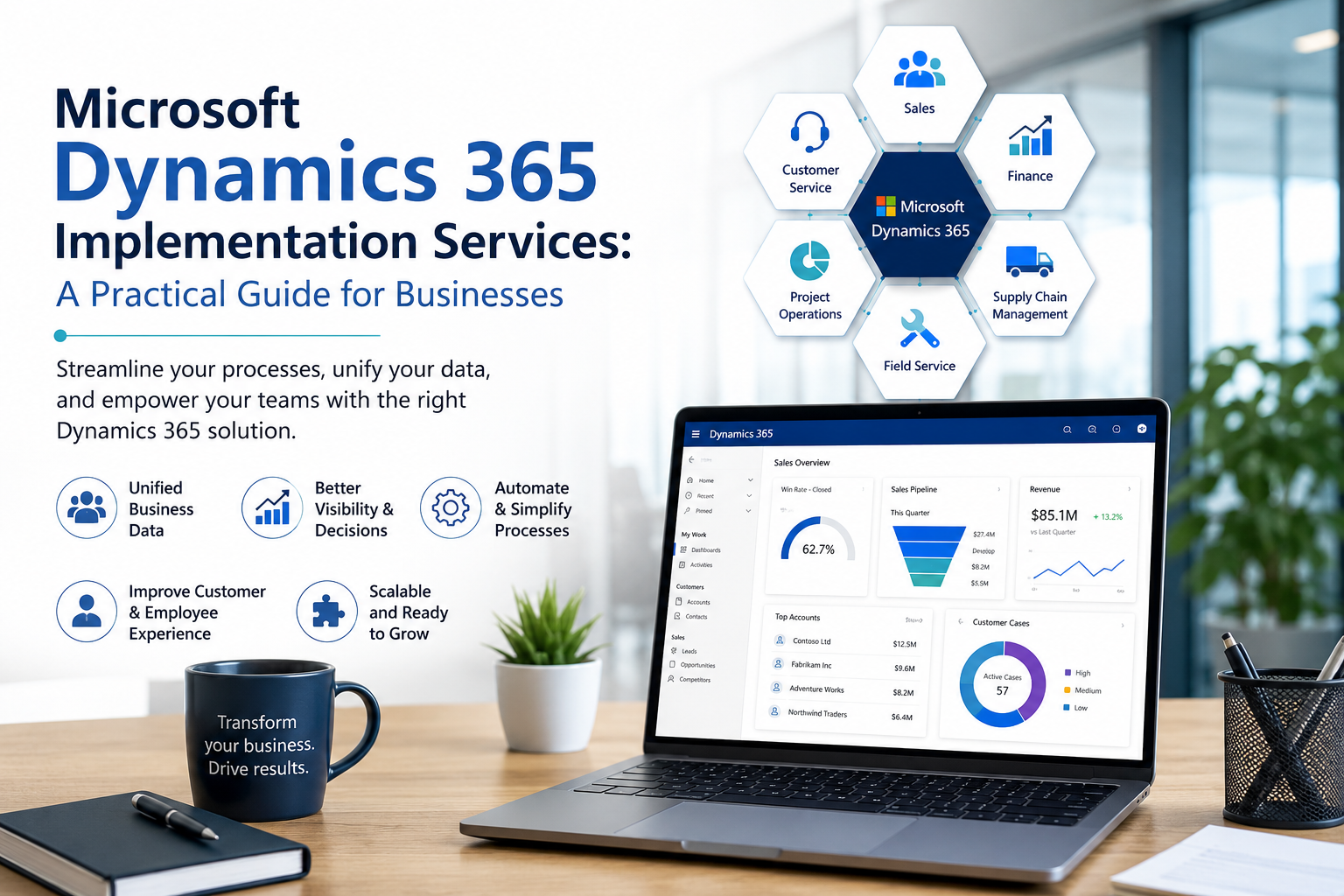
Common Dynamics 365 applications include:
Dynamics 365 Sales for leads, opportunities, accounts, forecasting, and sales activities
Dynamics 365 Customer Service for cases, knowledge management, queues, and support operations
Dynamics 365 Customer Insights for customer data and personalised journeys
Dynamics 365 Field Service for managing work orders, schedules, and frontline service teams
Dynamics 365 Finance for financial planning, accounting, reporting, and compliance management
Dynamics 365 Supply Chain Management for procurement, manufacturing, inventory, warehousing, and asset management
Dynamics 365 Project Operations for project sales, resource planning, delivery, time and expense tracking, and billing
Dynamics 365 Business Central, an ERP solution built for small and midsize businesses
Microsoft groups these applications across sales, marketing, service, finance, supply chain, and operations. The applications can work together and can also connect with other systems. Because the suite is modular, a company can start with one application and add others later, without replacing every system in a single project.
What Are Microsoft Dynamics 365 Implementation Services?
Microsoft Dynamics 365 implementation services are the business and technical activities required to move from a planned solution to a working system. They are normally delivered by a combination of the customer’s internal team and an experienced Dynamics 365 consultant or implementation partner.
A complete engagement may cover:
Business-process discovery and requirements analysis
Application and licence selection
Solution architecture and project planning
System configuration
Security roles and access design
Extensions or custom development where justified
Data cleansing, mapping, migration, and validation
Integration with Microsoft and third-party systems
Reporting and analytics
Functional, integration, performance, and user-acceptance testing
Go-live planning and deployment
User training, change management, and post-launch support
Implementation is therefore not simply software installation. It changes how people handle processes, responsibilities, data, and day-to-day work.
How Does a Dynamics 365 Implementation Work?
Microsoft’s Success by Design framework places an implementation into five stages: Strategize, Initiate, Implement, Prepare, and Operate. Project teams may use different labels for their phases, but the overall journey is similar.
1. Define the Business Case and Success Measures
A strong project starts by looking at the business problem, not at a list of product features. Leaders first need to agree on the results they want. That might mean faster order processing, more accurate forecasts, a shorter month-end close, or a complete customer history for service agents.
These goals should be converted into measurable key performance indicators. Those measures give the team a practical way to rank requirements and stop unrelated feature requests from taking over the project.
2. Discover and Map Business Processes
Consultants sit down with process owners and day-to-day users to see how work is actually done, where it slows down, and which controls cannot be lost. The team then maps those requirements to standard Dynamics 365 capabilities.
This is also the stage to identify legal, security, reporting, localisation, and industry-specific requirements. Bringing everyday users into the discussion early can reveal exceptions that high-level process diagrams often overlook.
3. Select Applications and Design the Solution
The team decides which Dynamics 365 applications, environments, integrations, reports, and extensions are required. The design also needs to settle user roles, data ownership, approval paths, and where Dynamics 365 ends and another system takes over.
A fit-to-standard mindset is useful here. If Dynamics 365 already handles a process well, using that standard feature is usually easier to support than rebuilding an old workflow in custom code. Customisation earns its place when it solves a real business problem, not simply because ‘this is how we have always done it.’
4. Configure, Extend, and Integrate
Consultants then set up the relevant entities, forms, workflows, business rules, security roles, financial structures, and operating parameters. Developers may then build extensions for requirements that configuration cannot meet.
Dynamics 365 may also need to exchange information with ecommerce platforms, payment services, warehouse tools, legacy applications, Microsoft 365, Power BI, or Power Platform solutions. For every connection, the team needs to decide who owns it, how failures are handled, how data is protected, and how it will be monitored after go-live.
5. Prepare and Migrate Data
Data migration often takes more work than businesses first expect. The team has to decide what belongs in the new system, how fields will be matched, how duplicates will be resolved, and whether older records should be migrated or archived.
A sound migration normally involves examining the source data, cleaning it, mapping fields, running test migrations, reconciling results, and getting approval from the people who own that data. Microsoft’s guidance treats governance, quality, security, storage, and stewardship as part of the same data conversation. Moving poor-quality data into a new system only transfers the problem.
6. Test the Complete Business Process
Testing should cover more than individual screens. Teams need to test complete scenarios such as lead to order, purchase to payment, case to resolution, or order to cash. Testing may include:
Functional and regression testing
Integration and data-migration testing
Security-role testing
Performance and volume testing
User acceptance testing (UAT)
Cutover rehearsals
UAT should be performed by people who understand the actual process and can confirm that the system supports real work—not only the happy path.
7. Train Users and Manage Change
A system can work perfectly in testing and still disappoint if employees do not understand the new process or see how it helps them. Training works better when it reflects each person’s role instead of covering every feature for every employee. A finance user, salesperson, warehouse worker, manager, and administrator will not need the same training.
Start communication early, involve user champions, let people practise real tasks, and give them support material they can find later. After go-live, watch usage, error rates, support tickets, and the KPIs set at the beginning to see whether adoption is improving.
8. Go Live and Continue Improving
As launch approaches, the team completes the cutover plan, final data migration, support arrangements, rollback criteria, and communication schedule. Many organisations also plan a short period of hands-on support after launch so urgent issues are dealt with quickly.
Implementation does not end on launch day. Dynamics 365 cloud services continue to receive updates, and the way a business works will keep changing too. The operating plan should therefore cover administration, release testing, access reviews, data quality, improvements, and user feedback.
Key Benefits of a Successful Dynamics 365 Implementation
Simply adopting a well-known platform does not create value on its own; the benefits come from better processes and consistent use. When implemented well, Dynamics 365 can provide several advantages.
More Consistent Business Data
Connected processes reduce repeated entry and conflicting departmental records. With the right permissions in place, employees can work from the same customer, product, financial, and operational records.
Better Visibility and Decisions
Dashboards, reports, and integrations with analytics tools can give managers a more current view of performance. The quality of those insights still depends on sound data definitions and disciplined data entry.
Less Manual Work
Routine work such as approvals, notifications, task creation, and record updates can often be automated. That automation delivers the most value when the process is clearly defined and unusual cases still have a safe path.
Improved Customer and Employee Experiences
Sales and service staff can see useful interaction history without jumping between several tools. Employees spend less time hunting for information, and customers are more likely to receive a consistent answer.
A Platform That Can Grow in Stages
Because Dynamics 365 consists of multiple applications, organisations can phase their rollout and add capabilities as priorities change. Scalability still requires good architecture, licensing, integration, and data planning.
How Long Does Dynamics 365 Implementation Take?
There is no responsible one-size-fits-all estimate. A focused rollout for one team may take a few months, while a multi-company finance and supply-chain transformation can take much longer. The timeline depends on:
Number of applications, companies, countries, and users
Complexity of business processes and local requirements
Volume and condition of legacy data
Number and difficulty of integrations
Reporting and regulatory requirements
Amount of custom development
Availability of internal decision-makers and subject-matter experts
Deployment method, testing depth, and training needs
Rolling out in phases can make the change easier to absorb, although the team must plan carefully for temporary integrations and dependencies between the old and new systems.
What Affects Dynamics 365 Implementation Cost?
The total cost is broader than software licences. According to Microsoft’s implementation guidance, the budget may need to cover subscriptions, storage, design, testing, deployment, migration, training, change management, and ongoing improvements.
The biggest cost drivers are usually the project scope, chosen applications, user and licence needs, data work, integrations, custom extensions, partner effort, training, support, and maintenance. Costs can climb quickly when requirements stay vague or customisation grows without firm control.
Before signing off on a proposal, make sure the assumptions, responsibilities, exclusions, deliverables, and acceptance criteria are written down. A cheaper estimate can cost more in the long run if migration, testing, training, or post-launch support has been omitted.
Common Implementation Challenges—and How to Avoid Them
Unclear Goals
When nobody agrees on measurable results, a team can deliver plenty of features without fixing the original problem. Define business KPIs and use them to control scope.
Poor Data Quality
Duplicate customer profiles, missing product information, and inconsistent formats can undermine reports and automated workflows. Give named people ownership of the data, clean it early, and check the results of trial migrations.
Excessive Customisation
Trying to recreate every legacy process can raise costs and make future updates more difficult. Use standard features where they fit, and extend them only when there is a solid operational, regulatory, or competitive reason.
Weak User Involvement
When users see the system for the first time near the end of the project, important requirements and usability problems often appear too late. Include process owners and a representative group of users in discovery sessions, demonstrations, and UAT.
Inadequate Testing and Cutover Planning
When deadlines tighten, teams sometimes cut testing or training to protect the launch date. This shifts risk into production. Rehearse critical migrations and business processes before go-live, and define who will make decisions during cutover.
How to Choose a Dynamics 365 Implementation Partner
A good implementation partner understands the technology, but also takes time to understand the business process behind it. Ask potential partners to explain:
Their experience with the specific Dynamics 365 applications you need
Relevant industry, localisation, and compliance knowledge
Their discovery and implementation methodology
How they control scope and custom development
Their approach to migration, security, integration, testing, and adoption
The named team members who will work on the project
What is included in post-go-live support
How knowledge will be transferred to your internal team
The statement of work should also define responsibilities clearly. Microsoft specifically warns that vague ownership between the customer and implementation partner can lead to overlooked work, delays, and expensive rework.
If your project involves Dynamics 365 Finance and Operations, AllUpNext offers implementation, customisation, integration, upgrade, consulting, and support services. The best place to begin is a discovery conversation about processes, data, integrations, risks, and measurable goals rather than a hurried product demo.
Frequently Asked Questions
1. Is Dynamics 365 only for large enterprises?
No. Different applications serve different needs. Microsoft designed Business Central as an ERP option for small and midsize businesses. Organisations with broader or more complex needs may instead combine Finance, Supply Chain Management, Sales, Customer Service, or other Dynamics 365 applications.
2. Can Dynamics 365 integrate with existing software?
Yes. Depending on the system, integration may use standard connectors, APIs, middleware, Power Platform, or custom development. Each connection should be checked for technical feasibility, licensing, data ownership, security, error handling, and ongoing support.
3. Should a business customise Dynamics 365?
It makes sense when a requirement delivers enough value or is necessary for legal, regulatory, or operational reasons. Standard configuration is usually simpler to maintain, test, and update than a large amount of custom code.
4. Can data be migrated from a legacy CRM or ERP?
Yes, but migration requires more than exporting and importing records. The team must profile, clean, map, transform, test, reconcile, and approve the data before production use.
5. What happens after Dynamics 365 goes live?
The organisation needs ongoing administration, user support, security and access reviews, update testing, monitoring, data-quality work, and a controlled process for future improvements.
Conclusion
Microsoft Dynamics 365 implementation services turn selected CRM and ERP applications into a solution that supports real business processes. The strongest implementations begin with measurable goals, favour standard capabilities where practical, treat data and adoption as core workstreams, and test complete processes before launch.
The most important decision is not how many features can be activated. It is how well the chosen solution helps people complete their work, protects reliable data, and delivers the business results agreed at the beginning. With clear governance, realistic scope, and the right implementation support, Dynamics 365 can become a foundation for continuous improvement rather than another disconnected system.